 DialerGiants
Introduction
Do Not Call List Management in VICIdial is essential for any outbound telephony deployment. This guide shows how to set up, import, scrub, automate, and audit DNCs in VICIdial to meet legal and operational obligations while keeping campaigns productive.
Why DNC Management Matters
Do Not Call (DNC) lists protect consumer privacy and ensure your operation complies with telemarketing rules and client expectations. Poor DNC handling exposes your business to regulatory fines, blocked carriers, reputation damage, and wasted agent time. Managing DNCs reliably also reduces legal risk and increases campaign hygiene — fewer wrong-number dials, fewer complaints, and fewer disputes with clients.
For additional compliance guidelines, check out the DialerGiants homepage to learn how we help businesses stay compliant while scaling outbound operations.
VICIdial DNC Concepts: Global vs Campaign Lists
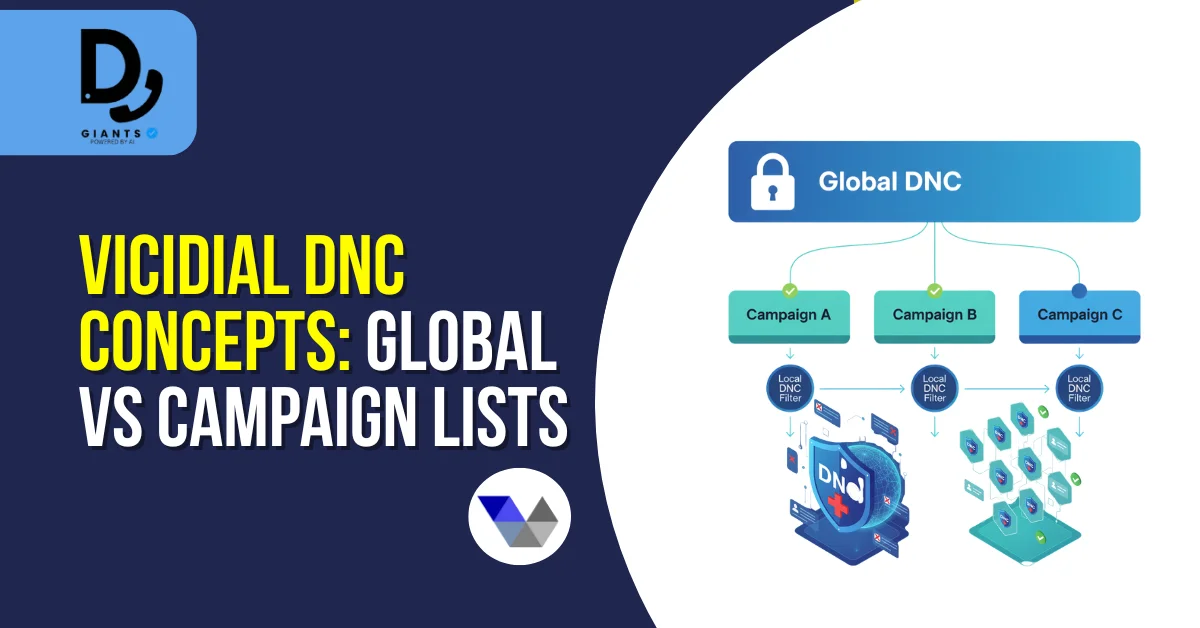
- Global DNC (internal do-not-call): A site-wide list of numbers that must never be dialed by any campaign. Used for national DNC registries and known bad numbers.
- Campaign DNC (local campaign-level blocklists): Lists attached to specific campaigns. Useful when a client supplies their own DNC.
- Scrub lists / scrubbed leads: When you run a scrub, VICIdial compares the campaign's lead set with DNC lists and marks or removes matched leads.
- Temporary opt-outs: Some operations require temporary holds — VICIdial supports fields & metadata to record temporary restrictions.
Preparing Your DNC Data (Formatting & Validation)
Clean data is the foundation of reliable scrubbing. Use consistent phone format (E.164 preferred), remove non-digit characters, and eliminate duplicates. Include source and date_added columns for auditing.
Importing DNC Lists into VICIdial
For small lists, use the admin web UI. For bulk/automated imports, use scheduled scripts to push CSVs into
the vicidial_dnc table. If you use a CRM, push opt-outs from the CRM to VICIdial via API or
scheduled sync.
Scrubbing Leads: Pre-Dial Best Practices
Scrubbing should happen before dialing to avoid abandoned calls. Scrub at lead import time or at dial-list build time. For very large lead lists, perform scrubs using database joins with indexed phone columns.
Automating DNC Updates (APIs & Webhooks)
Manual processes are slow and error-prone. Implement inbound opt-out webhooks, nightly synchronization, or on-demand scrub APIs. For end-to-end VICIdial DNC management services, consider partnering with experts.
Handling Opt-Outs in Real Time (Agent and IVR Flows)
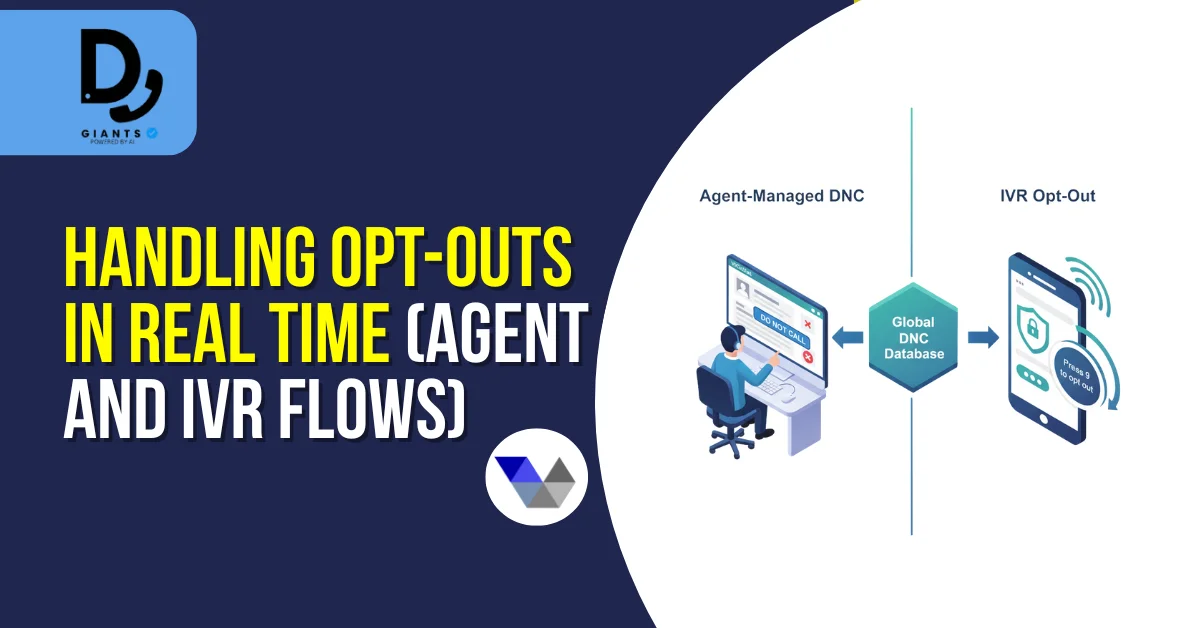
Agent workflow: Agent marks the lead as WANTS_DNC, a backend process invokes API to add the number to global DNC.
IVR workflow: IVR offers an opt-out option. If chosen, IVR posts to an endpoint that adds the number to DNC and returns confirmation.
Auditing and Compliance Reporting
Keep full DNC import history, per-number records, scrub logs, and opt-out confirmations. Retain audit logs per your legal/regulatory requirements.
Removing Numbers from DNC Lists
Require authenticated request or documented evidence of consent. Log who requested removal and why. Provide a cooling period before re-enabling automated systems.
Common Pitfalls and Troubleshooting
- Formatting mismatches: Normalize both leads and DNC to E.164 format.
- Slow scrubs on large lists: Index phone columns, use batch joins.
- Race conditions: Implement transactional updates or preemptive locks.
- Incomplete automation: Build webhooks or near-real-time sync.
- Audit gaps: Enforce user-based imports and require metadata.
Performance & Scale Recommendations
Use a dedicated DB server, keep phone columns indexed, partition DNC tables if huge, and offload recordings to separate storage.
Legal & Compliance Considerations
Do Not Call rules vary by jurisdiction. Know local regulator rules, maintain records of opt-outs, respect temporary and permanent opt-out requests, and ensure third-party lead providers have represented lawful consent. Disclaimer: This guide is technical and operational — not legal advice. Consult a qualified compliance professional.
Putting It All Together: Operational Checklist
- Centralized DNC ingestion pipeline in place
- Phone normalization and validation standardized (E.164)
- Global DNC table updated automatically from opt-outs
- Campaign-level DNCs available and scrubbed pre-dial
- APIs or webhooks implemented for real-time opt-outs
- Audit logs capture imports, removals, and agent actions
- Monthly reconciliation between CRM and VICIdial DNCs
- Legal advisors reviewed processes for jurisdictional compliance
FAQs
What is the difference between VICIdial global DNC and campaign DNC?
Global DNC blocks numbers at the system level (no campaign may dial them). Campaign DNCs are specific to a campaign or client and only block that campaign.
How quickly should I add an opt-out to the DNC list?
Aim for real-time or near-real-time (minutes). The faster opt-outs are recorded, the less exposure you have to complaints and regulatory risk.
Can I remove a number from the DNC if the owner gives consent later?
Yes, but require documented consent, log the evidence, and implement a controlled removal workflow. Consider a short cooling period after removal.
How do I handle formatting mismatches that cause scrub misses?
Standardize on a canonical format (E.164) for both leads and DNC lists. Run normalization as part of ETL before scrubbing.
Are bulk imports safe to run during business hours?
Large imports and scrubs can impact DB performance. Schedule heavy operations during off-peak windows, or use optimized set-based database operations to minimize impact.
What logs should I keep to prove compliance?
Keep import logs, per-number DNC add/remove timestamps, opt-out source (agent/IVR/CRM), scrub reports, and reconciliation records for the legally required retention period.
Conclusion
Effective Do Not Call List Management in VICIdial combines clean data, automated ingestion, consistent scrubbing, and robust auditing. Prioritize normalization (E.164), pre-dial scrubs, and real-time opt-out automation to reduce regulatory risk and maintain campaign performance. Make DNC processes central to your operational playbook — reliability here protects your brand, reduces complaints, and keeps your campaigns running smoothly. If you'd like expert help setting up or optimizing your VICIdial DNC management system, contact our team today for a personalized consultation.


