 DialerGiants
Introduction
If you are searching for VICIdial server requirements: hardware and software guide 2025, this detailed guide will help IT administrators and telecom engineers size servers correctly, pick software versions, and design clusters for stable production deployments. It includes minimum and recommended specs, DB sizing guidance, and operational best practices.
Overview: What Affects VICIdial Resource Needs
VICIdial is a telephony platform built on Asterisk with a web front end and a MySQL/MariaDB backend. Resource demands depend primarily on: Agent seats / concurrent calls, call recording, dialing mode, database size, and features. Hardware must be chosen for expected peak concurrent calls, not average load.
Key community and ViciBox documentation recommends separating roles (database, telephony/dialer, web) for clusters. For a comprehensive installation guide, see How to Setup VICIdial: A Comprehensive Step-by-Step Guide.
Minimum vs Recommended: Quick Table
| Role | Minimum (small test / <50 agents) | Recommended (production / up to ~150 agents) |
|---|---|---|
| Telephony/Dialer | 4 cores @2.3GHz, 4 GB RAM, 200 GB RAID | 4–8 cores, 12–16 GB RAM, enterprise SSD RAID |
| Database server | 8 cores, 16 GB RAM, NVMe RAID 1/10 | 8–16 cores, 32+ GB RAM, NVMe RAID10 |
| Web server | 2–4 cores, 4–8 GB RAM, SSD | 4 cores, 8–12 GB RAM, 500 GB SSD |
| Recording/archive | 2 cores, 2–4 GB RAM, HDD RAID | Dedicated NAS or object storage |
| Network | 1 Gbps NIC, low jitter | 1 Gbps or 10 Gbps uplinks |
Detailed Hardware Guidance
CPU: cores and clock speed
Telephony servers benefit from single-thread performance. A modern 4- to 8-core CPU at >=2.0–3.0GHz per core is appropriate. Database servers benefit from many cores (8+ cores for production).
Memory (RAM)
DB servers need enough RAM to hold frequently accessed indexes — start at 16–32 GB. Dialer/Web servers: 8–16 GB RAM recommended for production.
Storage and IO
Recordings: use enterprise HDDs in RAID6/RAID10 or SSDs/NVMe. Database: NVMe or SSD RAID10 for best latency. Backups should be off-host.
Network
Use dedicated NICs for telephony signalling vs DB replication. For larger clusters, consider 10 Gbps LAN for backend traffic.
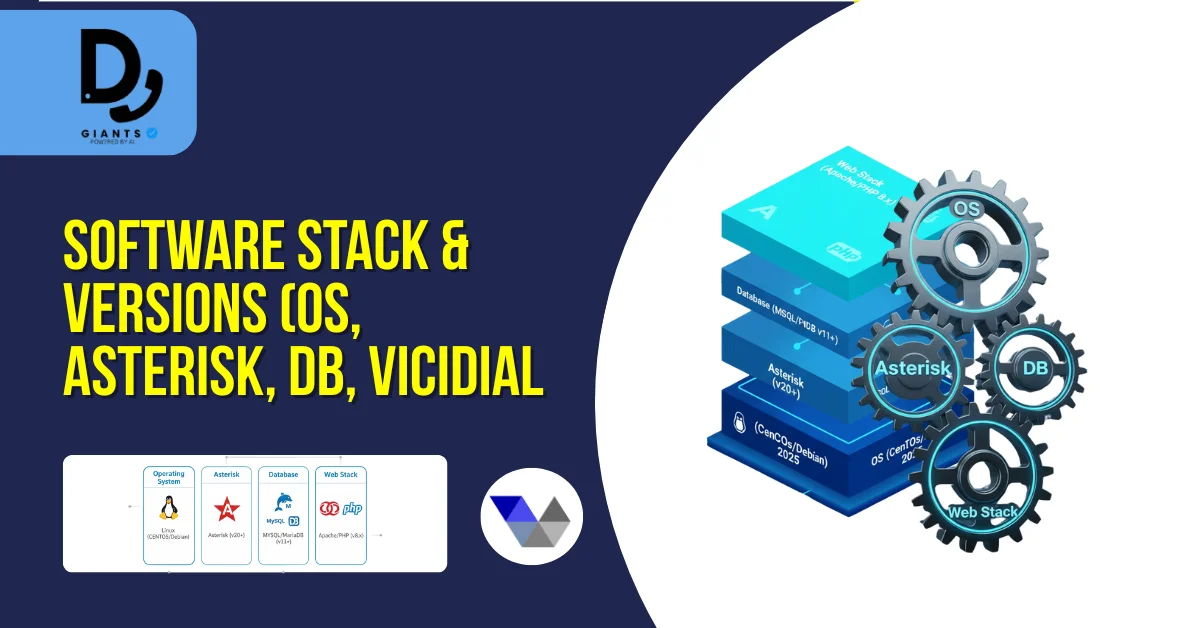
Software Stack & Versions (OS, Asterisk, DB, VICIdial)
- Operating System: ViciBox (official ISO) is recommended. If using custom OS, choose Rocky Linux, AlmaLinux, or Ubuntu LTS.
- Asterisk: Use the Asterisk version recommended by VICIdial/ViciBox (Asterisk 16/18 or later Vici-patched versions).
- Database: MySQL or MariaDB (InnoDB recommended). Configure innodb_buffer_pool_size for production.
- Web stack: Apache + PHP (match ViciBox compatibility). Enable SSL/TLS.
Cluster Topologies and Sizing Examples
- Small single-server (Proof of concept): One server hosting DB + Asterisk + Web — OK for lab or <20 seats.
- Recommended production starter (up to ~150 agents): Three servers (DB, Telephony, Web).
- Large deployments (hundreds to thousands of agents): Multiple dialer nodes, replicated DB cluster, dedicated web nodes.
Database Considerations & Maintenance
- Large vicidial_list tables cause query slowdowns. Use indexing and archive older leads.
- Regular mysqldump or binary log backups. Test restores frequently.
- Track InnoDB buffer pool hit ratio, slow queries, and table locks.
Storage Strategy for Recordings
- Define legal retention windows. For heavy-recording environments, use separate storage (NAS or object store).
- Save in compressed format and archive older recordings. Ensure RAID10 or object storage with redundancy.
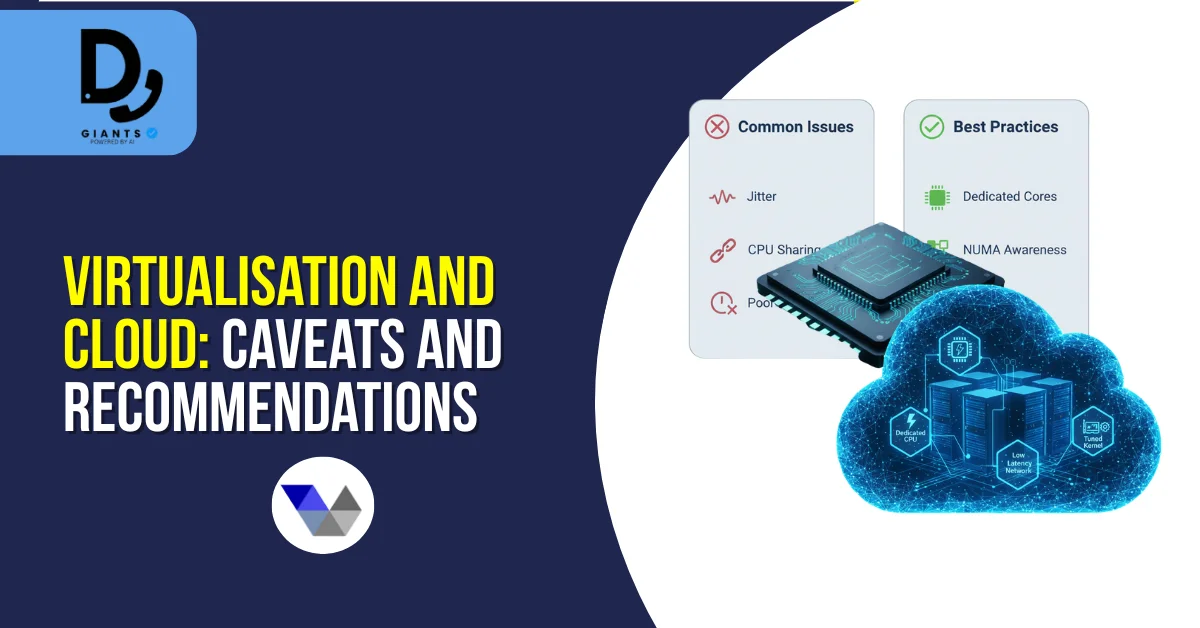
Virtualisation and Cloud: Caveats and Recommendations
If using virtualization, ensure real-time CPU affinity, dedicated NICs, and NUMA-aware configurations. Cloud deployments: use VMs with dedicated cores, guaranteed CPU, and premium network. For DB use dedicated storage like AWS EBS GP3 or local NVMe instances.
Security, Hardening and Operational Best Practices
- Isolate management, DB and public interfaces via VLANs or private networks.
- Use SSH keys, limited sudo, and change default passwords. Rotate app DB passwords.
- Collect telephony metrics, server metrics, and DB metrics. Use Grafana/Prometheus.
- Keep Asterisk and OS patched. Test patches in staging.
- Implement full backups, offsite replication and documented restore procedures.
Testing and Performance Tuning Checklist
- Load test with simulated agents and call mixes.
- Measure DB response times and tune indexes.
- Monitor disk IO during recording and playback.
- Verify network latency between nodes.
- Simulate failover and test backup restores.
Common Pitfalls & Troubleshooting Tips
- Under-provisioned DB: scale RAM/IO.
- Recording IO bottleneck: move recordings to separate storage.
- Using cheap VPS: prefer bare metal or real-time-tuned VMs.
- Not monitoring list growth: archive old lists.
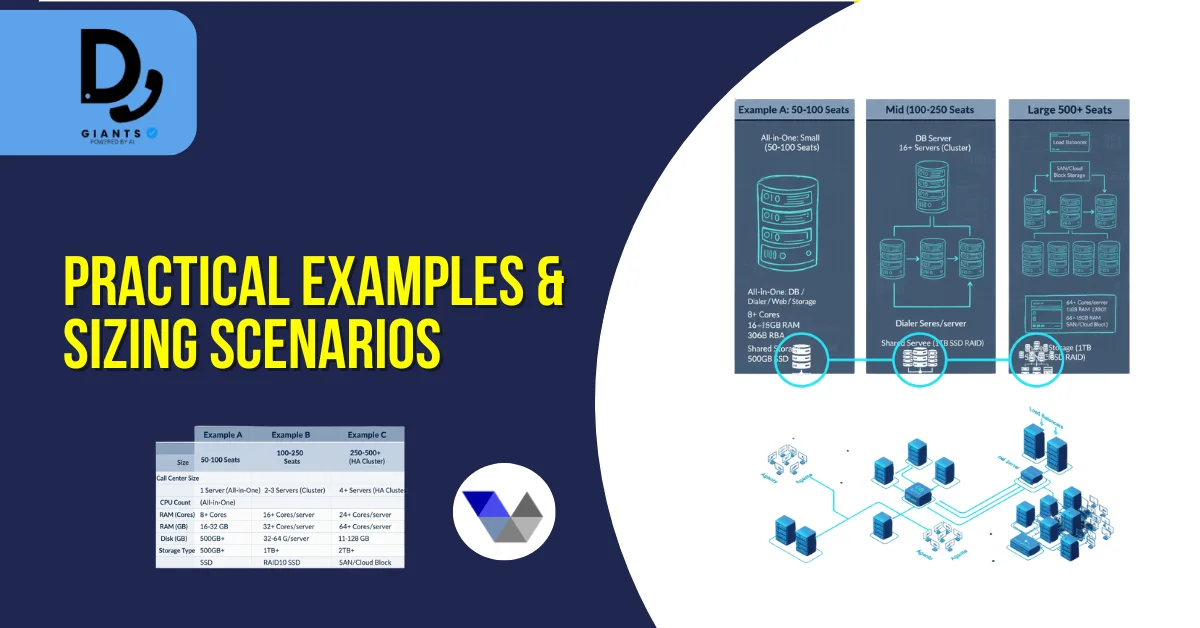
Practical Examples & Sizing Scenarios
Example A — Small local call centre (50 seats)
2–3 servers: DB (8 cores, 16 GB, NVMe), Dialer (4 cores, 12 GB), Web (2 cores, 8 GB).
Example B — Mid-sized (150 seats)
3 servers as recommended with larger DB (12 cores, 32 GB), multiple dialer nodes (4–6 nodes with 4–8 cores and 16 GB each).
Example C — Large cluster (500+ seats)
Multiple dialer servers scaled horizontally, high-spec DB(s) with replication, load balancers, dedicated recording clusters.
For cost considerations, see Can I Use VICIdial for free? Costs & Setup Explained.
Checklist Before Go-Live
- OS, Asterisk and VICIdial versions validated.
- DB tuned (InnoDB buffer pool, log sizes).
- Monitoring and alerting enabled.
- Storage for recordings provisioned.
- Backups configured and tested.
- Security controls in place.
- Pilot test completed with target call load.
Further Reading and Community Resources
- ViciBox official documentation (hardware specs & cluster guides).
- VICIdial community forums — practical sizing discussions.
- Installation and Asterisk version guides for VICIdial.
FAQs
1. What are the minimum server requirements for VICIdial in 2025?
The minimum setup for small-scale testing includes a 4-core CPU, 4 GB RAM, and 200 GB of storage. For production, aim for at least 8 cores, 16 GB RAM, and SSD or NVMe storage.
2. Can VICIdial run on a virtual machine or cloud environment?
Yes, but with caution. Use dedicated vCPUs, low-latency network, and SR-IOV NICs. Avoid oversubscribed VPS hosting — bare metal or tuned KVM/VMware setups are preferred.
3. How much storage is required for call recordings?
For an average call centre recording all calls, plan 1–2 TB per 100 agents per month, or use NAS/S3 storage for long-term retention.
4. What operating system is recommended for VICIdial in 2025?
The official ViciBox ISO is still the best choice. If using a custom OS, select Rocky Linux, AlmaLinux, or Ubuntu LTS.
5. How many agents can one VICIdial server support?
A single properly configured dialer server can typically handle 20–40 concurrent agents. For larger operations, deploy multiple dialer nodes and a dedicated database server.
Conclusion
Choosing the right VICIdial server hardware and software configuration is the cornerstone of a stable, scalable, and efficient call centre deployment in 2025. Focus on balanced CPU power, ample RAM, fast NVMe or SSD storage, and network reliability. Always size for peak call loads, separate roles (DB, web, dialer), monitor system metrics, and follow ViciBox/VICIdial documentation. With the right architecture, your VICIdial deployment will deliver consistent uptime, faster call handling, and improved agent productivity.


