 DialerGiants
Introduction to VICIdial Password Management
VICIdial, a robust open-source call center software, powers thousands of contact centers worldwide with its predictive dialer, VoIP integration, and CRM integration capabilities. At the heart of its administration is the VICIdial admin account, which controls critical system settings, manages agent performance, and oversees campaign configurations. Effective VICIdial password management is essential to maintain the security and functionality of this powerful call center solution.
Why Secure Admin Passwords Matter
The VICIdial admin password is the key to accessing the administrative interface. A weak or compromised password can lead to unauthorized changes to campaigns, data breaches, or disruptions in call center solutions. For instance, if your password is stored in plain text—a default setting in older VICIdial installations—anyone with database access could retrieve it. Enabling password hashing with Bcrypt ensures that passwords are stored as encrypted strings, making them nearly impossible to reverse-engineer.

Pre-Reset Checklist: Preparing for a Password Change
Before changing the VICIdial admin password, take these critical preparatory steps:
- Backup Your VICIdial Database:
mysqldump -u root -p asterisk > /root/vicidial_backup_$(date +%Y%m%d).sql - Verify Server and User Permissions: Check SSH access and MySQL access
- Verify Admin User Permissions: Ensure
user_level=9anduser_group='VICIDIAL_ADMIN'
Step-by-Step: Changing the VICIdial Admin Password via MySQL
Step 1: Access the VICIdial Server
ssh root@your-vicidial-server-ipStep 2: Generate a Hashed Password
perl /srv/www/htdocs/agc/bp.pl --pass=MySecurePass123Step 3: Update the vicidial_users Table
UPDATE vicidial_users SET pass='$2y$10$...', user_level=9, user_group='VICIDIAL_ADMIN' WHERE user='admin';Step 4: Verify the Password Change
Log in to the admin interface with the new password and confirm full access.

Enabling Password Encryption in VICIdial
To enable Bcrypt encryption, install the Perl module:
cpan Crypt::Eksblowfish::BcryptThen run the conversion script:
perl /usr/share/asterisk/agi-bin/ADMIN_bcrypt_convert.plVerify all passwords are hashed:
SELECT user, pass FROM vicidial_users WHERE pass NOT LIKE '\$2y\$%';
Troubleshooting Common Issues
- Fixing User-Level Reset to 1: Update with
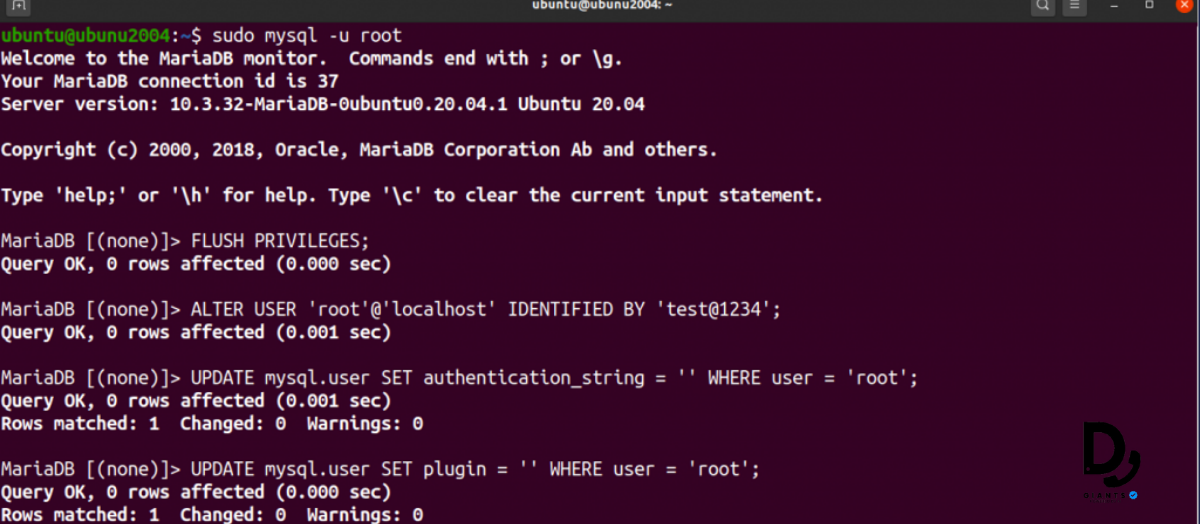
user_level=9, user_group='VICIDIAL_ADMIN' - Resolving MySQL Access Errors: Reset MySQL root password in safe mode
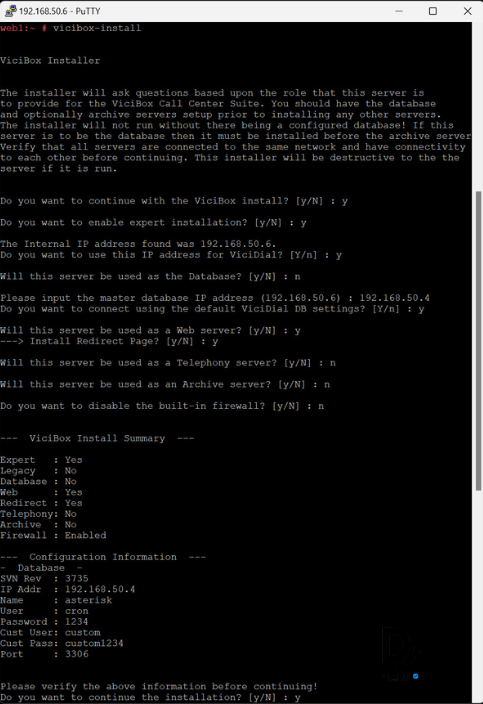
- Login Failures: Rehash password using bp.pl and verify the update
Best Practices for VICIdial Admin Security
- Strong Password Policies: Minimum 12 characters with mixed types
- Secure SSH Access: Disable root login, use key-based authentication
- Firewall Configuration: Restrict ports 80, 443, 5060
- Regular Backups: Automate daily database backups
- Two-Factor Authentication: Use Google Authenticator for SSH
FAQs
1. How do I reset a forgotten VICIdial admin password?
Use MySQL to update the vicidial_users table with a new Bcrypt hashed password generated
via bp.pl.
2. Can I change the admin password without MySQL access?
If MySQL access is unavailable, check for secondary admin accounts with user_level>=8
or reset the MySQL root password in safe mode.
3. Why does my admin user level reset to 1 after a password change?
This occurs if user_level and user_group aren't specified in the update
query. Always include both in your UPDATE statement.
4. How do I secure my VICIdial admin account?
Enable Bcrypt encryption, enforce strong password policies, secure SSH access with key-based authentication, and implement firewall rules.
5. What should I do if I get a VICIdial admin password reset error?
Check MySQL logs, verify the hashed password syntax, and ensure user_level=9 and
user_group='VICIDIAL_ADMIN' are set correctly.
6. How can I enable password encryption in VICIdial?
Install the Bcrypt Perl module (cpan Crypt::Eksblowfish::Bcrypt) and run
ADMIN_bcrypt_convert.pl to convert plain-text passwords to hashes.
7. How do I prevent user-level reset issues in VICIdial?
Always include user_level=9 and user_group='VICIDIAL_ADMIN' in MySQL update
queries for the admin account.
8. How do I recover VICIdial admin access without MySQL?
Use a secondary admin account with user_level>=8 or restore a database backup on a
test server.
Conclusion
Mastering VICIdial password management is essential for safeguarding your call center software. By following this guide, you've learned how to change admin password in VICIdial, enable Bcrypt encryption, and troubleshoot issues like user-level reset. These steps protect your VICIdial server from unauthorized access, securing sensitive data and maintaining agent performance. Regular backups and strong Linux server security practices further enhance VICIdial admin security.


