DialerGiants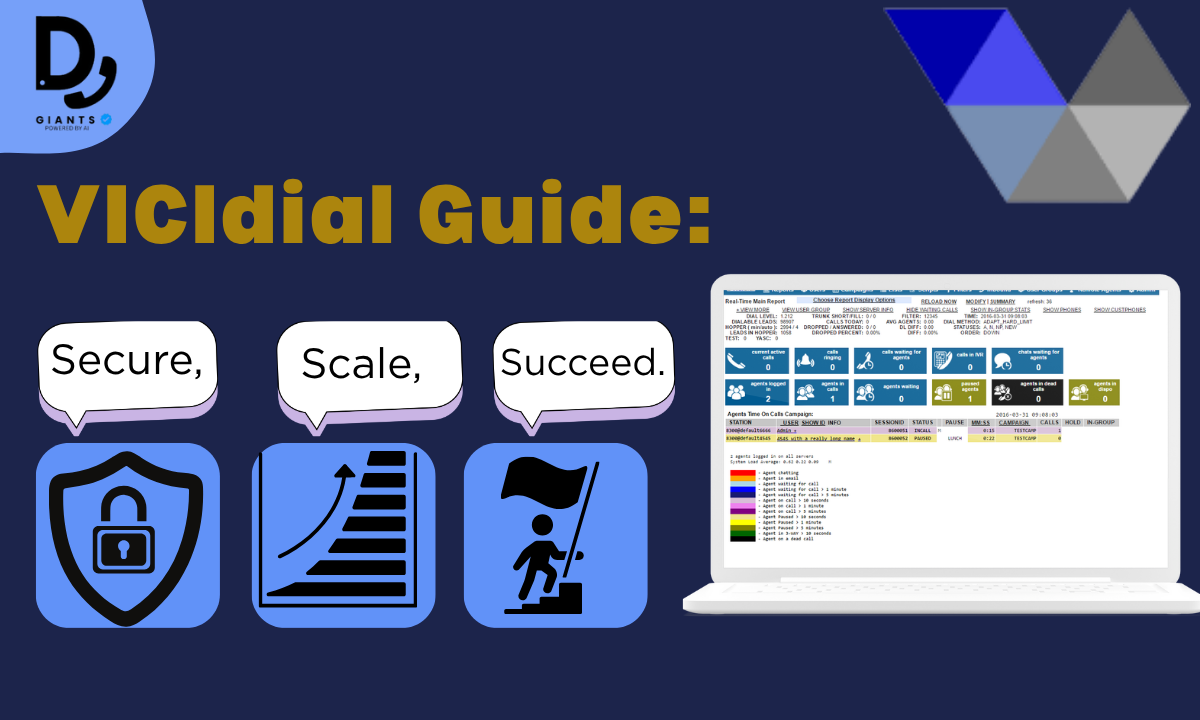
Introduction
VICIdial is a powerful, open-source contact center solution that empowers businesses to manage inbound, outbound, and blended call campaigns with unmatched flexibility. Whether you're setting up a small call center or scaling to hundreds of agents, mastering the VICIdial setup process is key to unlocking its full potential. With over a decade of experience in deploying call center solutions, I've seen firsthand how a well-configured VICIdial system can transform operations.
This guide provides a clear, step-by-step path to install VICIdial, configure it for optimal performance, and secure it against vulnerabilities, catering to both beginners and seasoned administrators. From single-server setups to VICIdial cluster configurations and cloud deployments, we'll cover everything you need.
Understanding VICIdial and Installation Options
What is VICIdial?
VICIdial is an enterprise-grade, open-source contact center suite used by thousands of call centers worldwide. It's a powerhouse for predictive dialing, inbound call handling, blended campaigns, and even advanced features like IVR, CRM integration, and website chat. Unlike proprietary solutions, VICIdial offers unparalleled customization.
A common point of confusion is the difference between VICIdial and ViciBox. VICIdial is the core contact center software. ViciBox, on the other hand, is an OpenSuSE-based installer that bundles VICIdial with essential dependencies like Asterisk (telephony engine), MariaDB (database), and Apache (web server).
Hardware and Software Requirements
For a VICIdial single server setup (ideal for 15–20 agents), you'll need: 4-core CPU, 8GB RAM minimum, 250GB RAID1 SSD, stable internet with static IP. For a VICIdial cluster (50+ agents), consider separate database, web, and telephony servers with higher specs.
System Requirements and Prerequisites
- CPU: 4-core processor (Intel Xeon or AMD Ryzen). For clusters, 8+ cores.
- RAM: 8GB minimum (16GB recommended). For clusters, 16GB+ for database server.
- Storage: 250GB RAID1 SSD (SSD preferred for database performance).
- Network: Stable internet with at least 100 Mbps bandwidth and a static IP.
- OS: OpenSuSE Leap (for ViciBox) or Alma Linux/CentOS (for scratch install).
Using ViciBox ISO for Single-Server Setup
Step 1: Download and Prepare the ViciBox ISO
Visit
http://download.vicidial.com/iso/vicibox/server/ and download ViciBox v.9.0.3 ISO.
Verify checksum.
Step 2: Boot and Install ViciBox
Boot from ISO, select "ViciBox OEM Install",
choose "Express" installation.
Step 3: Run the VICIdial Installer
Log in as root, run
vicibox-install, select Y for all components.
vicibox-installStep 4: Configure Network Settings
Set static IP in
/etc/sysconfig/network/ifcfg-eth0 and run update_server_ip.
Step 5: Verify Installation
Access admin interface at
https://your_server_ip/vicidial/admin.php (default: 6666/1234).
Scratch Install on Alma Linux or CentOS
For advanced users who prefer full control, use Carpenox's auto-installer scripts from GitHub:
cd /usr/src
git clone https://github.com/carpenox/vicidial-install-scripts
cd vicidial-install-scripts
chmod +x standard-db.sh
./standard-db.sh
This configures VICIdial with pre-set campaigns and users. Update phone logins by adding "a" (e.g., 101 becomes 101a).

Cloud-Based VICIdial Setup
Launch a cloud instance (AWS EC2, DigitalOcean Droplet) with Alma Linux 9, 4 vCPUs, 8GB RAM, 250GB SSD. Configure security groups to allow ports 80, 443, 5060, 10000-20000, and 8089. Install using the scratch install method above.
Configuring VICIdial
Setting Up SIP Trunks and Carriers
In the admin interface, go to Admin > Carriers > Add a New Carrier. Configure your SIP provider settings. Example sip.conf entry:
[trunk_1]
type=friend
host=sip.your_provider.com
username=your_username
secret=your_password
dtmfmode=inband
disallow=all
allow=ulaw
allow=alaw
qualify=1000
Configuring Campaigns, Users, and Leads
Create a campaign (Campaigns > Add a New Campaign), add users (Admin > Users), and load leads via CSV (Lists > Load New Leads).
Integrating Softphones (EyeBeam, WebRTC)
For WebRTC ViciPhone, ensure SSL is enabled and configure WebSocket URL in Admin > Servers.
Securing Your VICIdial Installation
- Firewall: Open only required ports (80,443,5060,10000-20000,8089). Restrict SSH to office IP.
- SSL Certificates: Install Let's Encrypt using CertBot:
certbot --apache -d your_domain.com. - Dynamic Portal: Enable in Admin > System Settings and whitelist allowed IPs.
- MariaDB Hardening: Run
mysql_secure_installationand create dedicated database user.

Setting Up a VICIdial Cluster
For 50+ agents, deploy separate database, web, and telephony servers. Install ViciBox on each with appropriate role. Configure database server to allow connections from web/telephony servers. Add servers in Admin > Servers.
Optimizing VICIdial Performance
- Asterisk: Adjust
maxcalls=500andmaxload=0.7in asterisk.conf. - MariaDB: Set
innodb_buffer_pool_size=2Gand add indexes to key tables. - Apache: Tune mpm_prefork and enable compression/caching.
- Load Balancing: Use mod_proxy for web server load balancing.
Troubleshooting Common VICIdial Issues
- "Invalid Extension" Error: Check phone login in Admin > Phones and SIP registration.
- "Only Person in Conference" Error: Verify Asterisk is running and SIP trunk registered.
- Database Connection Errors: Check MariaDB status and credentials in dbconnect.php.
- Web Interface Access Issues: Verify dynamic portal settings and Apache status.
Backing Up and Upgrading VICIdial
Schedule daily database backups using mysqldump. For upgrades, run svn update in
/usr/src/astguiclient/trunk and apply database schema changes via upgrade script.

FAQs
1. What are the main competitors to VICIdial in the call center industry?
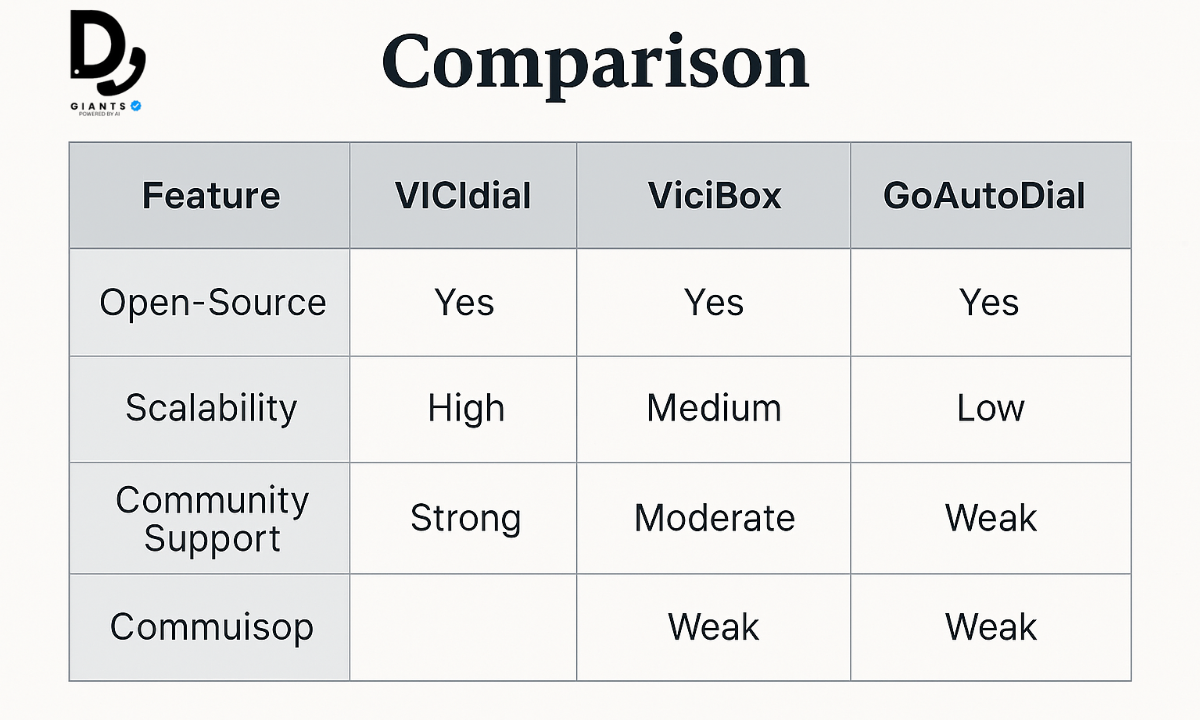
Key competitors include GoAutoDial, OSDial (open-source), and Five9, RingCentral, Zendesk (proprietary cloud solutions).
2. Why is it important to compare VICIdial with competitors?
Comparing helps you choose between customization (VICIdial) vs ease-of-use (proprietary) and on-premises vs cloud-based.
3. How does VICIdial's open-source nature give it an edge?
VICIdial offers unmatched flexibility, cost savings (no licensing fees), and community-driven updates.
4. What role do competitors' AI features play?
Competitors like Five9 use AI for intelligent call routing and sentiment analysis, features that require custom integration in VICIdial.
5. How does VICIdial's community support compare?
VICIdial has a robust community forum for troubleshooting, while proprietary solutions offer 24/7 paid support.
6. Why is scalability a key factor?
VICIdial scales from single-server to clusters (50+ agents), while some alternatives like GoAutoDial struggle with large deployments.
7. How do competitors' pricing models impact choice?
VICIdial has no licensing fees, ideal for budget-conscious businesses. Proprietary solutions have per-agent subscription costs.
8. How can understanding competitors help optimize VICIdial?
Studying competitors' best practices (AI routing, omnichannel) can inspire integrations and improvements.
Conclusion
Setting up VICIdial is a journey that transforms a blank server into a powerful call center engine.
This guide has walked you through every critical step: from understanding what is VICIdial and
installing it with ViciBox or a scratch install, to configuring SIP trunks, securing your system,
optimizing performance, and training your team. Now, it's time to put these steps into action.
Download the ViciBox ISO from http://download.vicidial.com/iso/vicibox/server/ or
explore Carpenox's auto installer scripts at https://github.com/carpenox/vicidial-install-scripts. Join the VICIdial
support community on the official forum at http://www.vicidial.org/VICIDIALforum/ for ongoing help. Your call center's
success is just a few configurations away—get dialing!