 DialerGiants
Overview & prerequisites
This guide walks you through a scratch/manual install of VICIdial on a freshly installed CentOS 6 server and building Asterisk 11 (plus DAHDI and libpri) from source. It is aimed at system administrators and VoIP engineers who need a manual install instead of using a VICIBOX ISO image.
Minimum recommended server (for lab / small deployment):
- 64-bit x86 server (2+ CPU cores)
- 8–16 GB RAM (more for larger call volumes)
- 100+ GB disk (recordings)
- Static IP and proper DNS
- CentOS 6.10 (latest 6.x) freshly installed
High-level install plan
- Update OS, disable SELinux, set hostname, ensure network.
- Install build tools and dependencies.
- Download and build DAHDI, libpri, then Asterisk 11.
- Install Apache, PHP, MySQL (MariaDB/MySQL 5.5/5.6) and PHP extensions.
- Create MySQL databases and users; import VICIdial schema.
- Checkout VICIdial code (SVN/Git) and run its install scripts.
- Configure Asterisk dialplan, codecs, and DAHDI if using PSTN hardware.
- Test services, set up logging and cron jobs, and tune for performance.
- Harden and secure the server (firewall, fail2ban, backups).
Step 0: Prepare the CentOS 6 base system
yum -y update
reboot
Disable SELinux permanently in /etc/selinux/config set SELINUX=disabled, then
reboot. Set hostname: hostnamectl set-hostname viciserver.example.com. Install EPEL release and
essential build tools.
yum -y install epel-release
yum -y groupinstall "Development Tools"
yum -y install wget gcc gcc-c++ make git subversion vim ntp sysstat
Step 1: Install dependencies for Asterisk and VICIdial
yum -y install zlib-devel openssl-devel ncurses-devel \
libxml2-devel sqlite-devel newt-devel libuuid-devel \
unixODBC-devel curl-devel e2fsprogs-devel libtool \
mysql-devel pcre-devel

yum -y install httpd mysql-server php php-mysql php-xml php-mbstring php-gd \
sox sox-devel libtermcap-devel mpg123 vsftpd crontabs
Start MySQL and Apache, and secure MySQL with mysql_secure_installation.
Step 2: Build and install DAHDI and libpri
cd /usr/src
wget http://downloads.asterisk.org/pub/telephony/dahdi-linux-complete/dahdi-linux-complete-current.tar.gz
wget http://downloads.asterisk.org/pub/telephony/libpri/libpri-1.4-current.tar.gz
tar xzf dahdi-linux-complete-current.tar.gz
tar xzf libpri-1.4-current.tar.gz
cd dahdi-linux-complete-*
make all && make install && make config
cd /usr/src/libpri-*
make && make install
Step 3: Build and install Asterisk 11
cd /usr/src
wget http://downloads.asterisk.org/pub/telephony/asterisk/asterisk-11-current.tar.gz
tar xzf asterisk-11-current.tar.gz
cd asterisk-11.*
./configure --libdir=/usr/lib64
make menuselect
make && make install && make samples && make config
ldconfig
service asterisk start
chkconfig asterisk on
Step 4: MySQL/MariaDB and PHP configuration for VICIdial
mysql -u root -p
CREATE DATABASE asterisk;
GRANT ALL PRIVILEGES ON asterisk.* TO 'astuser'@'localhost' IDENTIFIED BY 'strongpassword';
FLUSH PRIVILEGES;
EXIT;
Edit /etc/php.ini set memory_limit = 256M, max_execution_time = 120.
Restart Apache.
Step 5: VICIdial code checkout and initial install
useradd -m -d /home/vicidial -s /bin/bash vicidial
mkdir /usr/src/vicidial
cd /usr/src/vicidial
svn checkout http://svn.example.org/vicidial/trunk vicidial
cd vicidial
./install.pl --db-host=localhost --db-user=astuser --db-pass=strongpassword
Create Apache virtual host and reload Apache.
Step 6: Configure Asterisk for VICIdial
Ensure AGI scripts ownership, configure /etc/asterisk/manager.conf with a VICIdial user, import
VICIdial dialplan snippets into Asterisk config, and reload Asterisk.
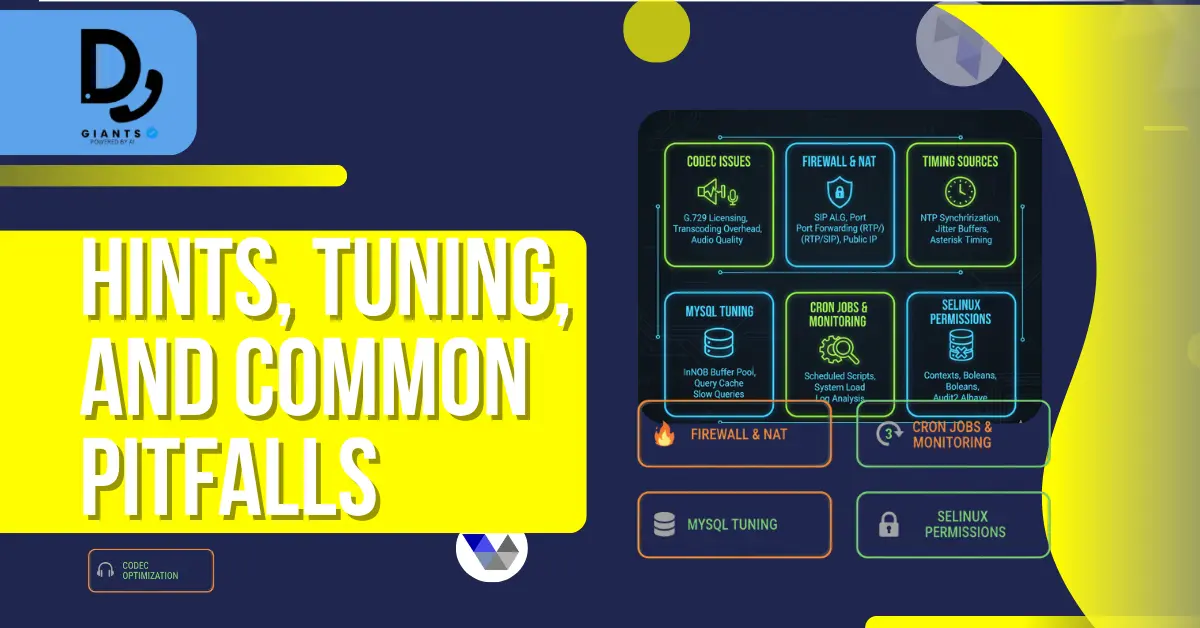
Hints, tuning and common pitfalls
- Codec issues: Ensure required codecs (ulaw/alaw/g729) are enabled.
- Firewall & NAT: Open RTP ports (10000–20000 UDP), SIP port 5060.
- Timing sources: If using DAHDI, ensure dahdi services are active.
- MySQL tuning: Tune my.cnf for production (innodb_buffer_pool_size, max_connections).
- Permissions & SELinux: SELinux must be disabled or properly configured.
Post-install tests
- Verify Asterisk CLI:
asterisk -rvvv - Access VICIdial web UI with default credentials.
- Place test calls between softphones; verify two-way audio.
- Test recording, playback, and reporting.
Security & legacy-software considerations (must read)
Important: CentOS 6 and Asterisk 11 are legacy and no longer receive security fixes. Isolate the server, restrict SIP/RTP access to trusted peers, use strong passwords, maintain offsite backups, and monitor logs.
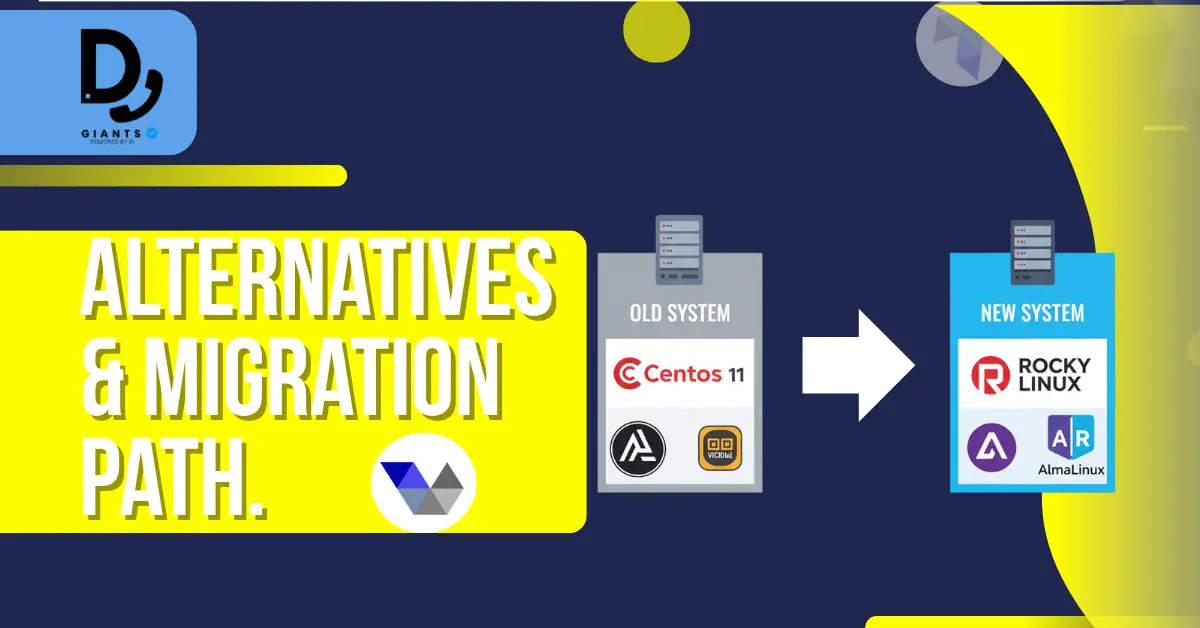
Alternatives & migration path
- Use VICIBOX ISO to save time.
- Install on newer OS (CentOS 7/8 or Rocky/AlmaLinux) with newer Asterisk versions.
- Use containerized solutions or appliances with patched components.
Troubleshooting checklist
- No audio: Check RTP port range firewall, NAT settings, codec negotiation.
- Asterisk won't start: Review
/var/log/messagesand Asterisk full log. - VICIdial web errors: Check PHP logs, DB connectivity, file permissions.
- Database errors: Ensure correct DB charset and astuser privileges.
Maintenance & backups
- Schedule nightly DB dumps and full backups of
/var/spool/asterisk/monitorand/var/lib/mysql. - Rotate and archive call recordings.
- Keep a recovery plan and test restores periodically.
Final checklist before going live
- Services running (Asterisk, Apache, MySQL).
- Web UI accessible and login verified.
- Test inbound/outbound call flows and recording.
- Firewall rules tightened and server isolated.
- Backups scheduled and tested.
- Monitoring configured (Nagios/Prometheus/other).
Resources and community references
- VICIdial Forums and Scratch Install threads
- Asterisk 11 installation guides for CentOS 6
- Vicibox ISO as an alternative installer
Conclusion
Installing VICIdial on CentOS 6 with Asterisk 11 is feasible following a strict build order: prepare the OS, install dependencies, compile DAHDI/libpri/Asterisk, configure MySQL/PHP/Apache, import VICIdial, then tune and secure the server. If this install is for production, strongly consider upgrading to more current OS and software stacks or using the VICIBOX appliance to reduce risk.
Disclaimer: This guide is technical instruction only. It is not legal, financial, or regulatory advice. When handling recorded calls or user data, consult legal counsel to ensure compliance with applicable laws and regulations.


